
Session Based Authentication
Session Based Authentication involves using the /login route to generate a session token.
Sending a Post Request to /login with username and password will return a User Object and a session token inside the Token header
Session tokens are temporary and eventually expire. For integrations with services, it is recommended to utilize Personal Access Tokens (below) which persist and can be revoked as needed.
Example Request For Session Token
Example Request For Session Token
> curl 192.168.1.100/login -i -d '{"username":"admin","password":"admin"}'

HTTP/1.1 200 OK
Content-Type: application/json
Token: 4jDv3lag56ADoih2bzd
Set-Cookie: SPID=4jDv3lag56ADoih2bzd; path=/
Connection: close

{"username":"admin","id":"1","lastLogin":1325659007,"created":1617325133,"roleId":1,"role":{"id":1,"name":"Administrator","description":"All Permissions. At minimum need one administrator role at any time. Not Editable.","permissions":{"viewInletStats":true,"modifyInletStats":true,"viewBankStats":true,"modifyBankStats":true,"viewEventActions":true,"modifyEventActions":true,"viewNetworkSettings":true,"modifyNetworkSettings":true,"modifyLcdSettings":true,"modifyPortSettings":true,"modifyFirmwareVersion":true,"viewUsersList":true,"modifyUsers":true,"allowFactoryReset":true,"allowPduRestart":true,"modifyGlobalDeviceSettings":true,"viewGlobalDeviceSettings":true,"viewPortInfo":true,"viewOutletGroups":true,"modifyOutletGroups":true,"viewOutlets":["1-16777225","2-16777225","3-16777225","4-16777225","5-16777225","6-16777225","7-16777225","8-16777225"],"modifyOutlets":["1-16777225","2-16777225","3-16777225","4-16777225","5-16777225","6-16777225","7-16777225","8-16777225"]}}}
Personal Access Token Authentication
Personal Access Token authentication involves manually creating a personal access token and using it in each request to the SynLink HTTP API.
To create a personal access token via the web interface. Navigate to Settings-> Manage Users. Click on the user you would like to create a personal access token for. Click on the button named "Create Personal Access Token".
Assuming your personal access token is 2bCDp4lqfKEFl8r6l4s, we could use it as shown below.
Example Request with Personal Access Token
curl -H "Authorization: Bearer 2bCDp4lqfKEFl8r6l4s" http://192.168.1.100/api/deviceBasic HTTP Authentication
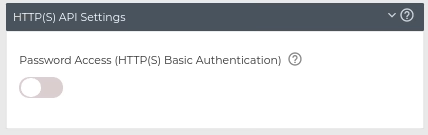
Looking to have backwards compatibility with NetBooter products? Enable HTTP Basic Authentication
In the context of an HTTP transaction, basic access authentication is a method for an HTTP user agent (e.g. a web browser) to provide a user name and password when making a request. In basic HTTP authentication, a request contains a header field in the form of Authorization: Basic ;
Default: Basic HTTP Authentication denied.
Navigate to Network -> Web (/network/web) to enable basic authentication.
Websockets
Access live stream of power/energy data from a WebSocket Connection.
Authentication SynLink WebSocket must be sent a session token after successful connection to begin sending data.
The following examples uses personal access token (PAT) authentication which can be configured as instructed in the authentication section of this manual. These examples assumes the IP address if 192.168.1.100, and the PAT is rKKHIKivalp6ihp6e09.
Authentication Object to Send to Begin Data Stream
{cookie: "4jDv3lag56ADoih2bzd"}